

For families and caregivers
You have a parent, a grandparent or a friend on DrBell, and you want to know they are taking what they were given. The site opens on that answer, today's doses, and everything else sits in a row of tabs underneath the name.
care.drbell.app — in a browser, on any phone or computer. Nothing to install.
Getting access
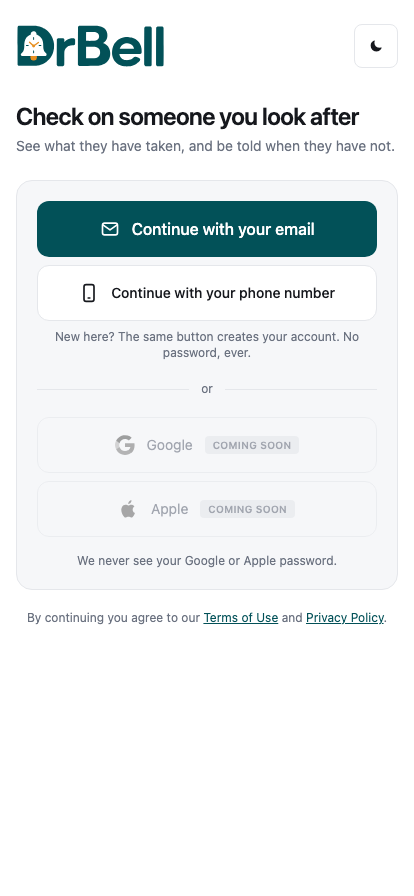
Sign in with your mobile number. The same button creates your account.
Signing in does not give you access to anybody. Somebody has to invite you — the person themselves, whoever set up their reminders, or the care home if they are in one — using your mobile number.
When you sign in with that number, the invitation is waiting at the top of the page: who asked, who it is for, and what you will be able to do. Press Accept, or Decline if it is not for you. Nothing is shared until you accept.
If you sign in and see Nobody to show yet with no invitation above it, nobody has invited this number yet — ask whoever meant to invite you to check the number they used.
An invitation for the person themselves (to put their own reminders on their own phone) is accepted in the DrBell app on that phone, not here.
Looking after your own medicines? Use the DrBell app on your phone instead. This site is for checking on somebody else.
Today
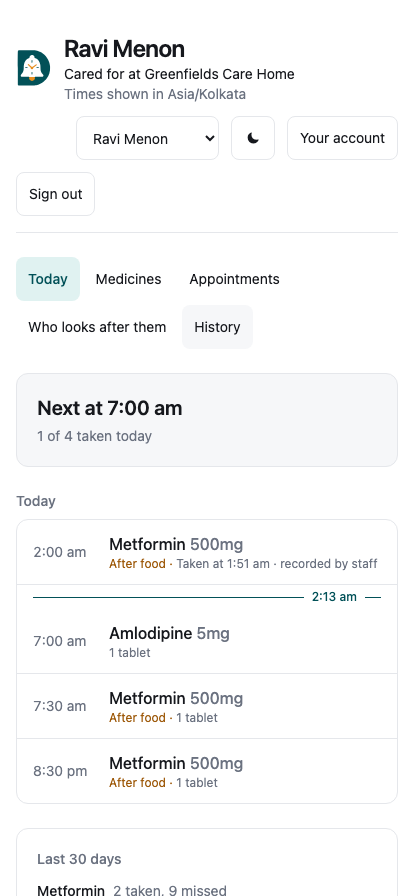
At the top, the answer: how many of today's doses have been taken, and what the next one is.
Underneath, today, in order. Each dose shows the medicine, the time it was due, and what happened — taken, skipped, missed, or still to come. Times are shown in their timezone, not yours, and it says so under their name. If you are in Dubai and she is in Hyderabad, "8am" means her 8am.
If you look after more than one person, a menu at the top switches between them. If they live in a care home, the home's logo and name are shown under theirs.
Mark taken records a dose they took but did not tap. I'll handle it, on a dose that is due and not taken, tells the others looking after them that you are dealing with it, so they stop being nudged about that dose; it says who is handling it once somebody has. It does not record the dose, and a dose that is still not taken when its window closes is still reported as missed.
For a child's record, if you are their guardian: a dose the child says they took waits for a grown-up to confirm, and those are listed at the top with Confirm.
Medicines
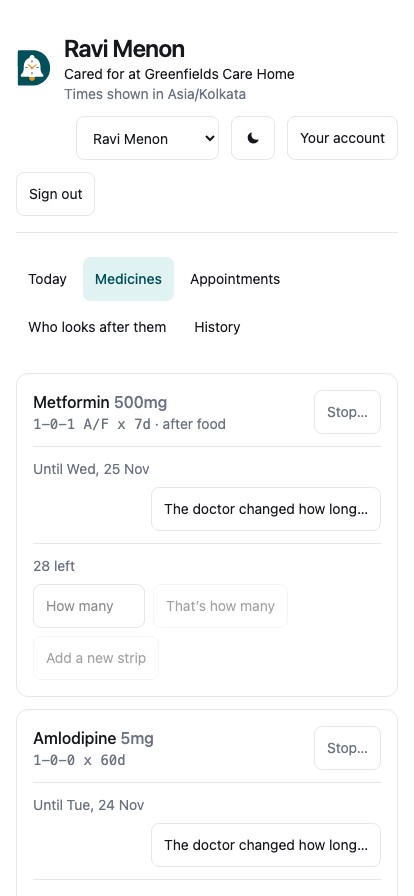
Each medicine, with the doctor's own shorthand exactly as written (it is never translated or reworded), how it is taken, and how many are left. Counting the strip? Type the number and press That's how many. Bought a new strip? Type how many it holds and press Add a new strip. DrBell replies with roughly how many days that lasts.
Each medicine says Until its last day, or No end date. When their doctor changes how long to take it, a guardian presses The doctor changed how long…, picks the new last day (included; today at the earliest) or No end, can note what the doctor said, and saves. Future reminders are rebuilt; what was recorded is kept, and the change is logged with who made it.
Stop… ends the reminders for a medicine — for them and for everyone looking after them. Only do it when their doctor has said to; what was already recorded is kept.
+ Add a medicine (for guardians): the name exactly as printed on the packet, and the shorthand from the prescription — 1-0-1, BD, TDS, SOS, Q6H, A/F, x 7d. Press Read it, and DrBell says what it understood in a sentence; read that sentence against the prescription before adding. You can add a photo of the strip (shown on the reminder) and of the prescription (kept under Prescriptions, never shown on a reminder). A course "for 7 days" reminds for exactly seven days, today included, on their calendar.
Appointments
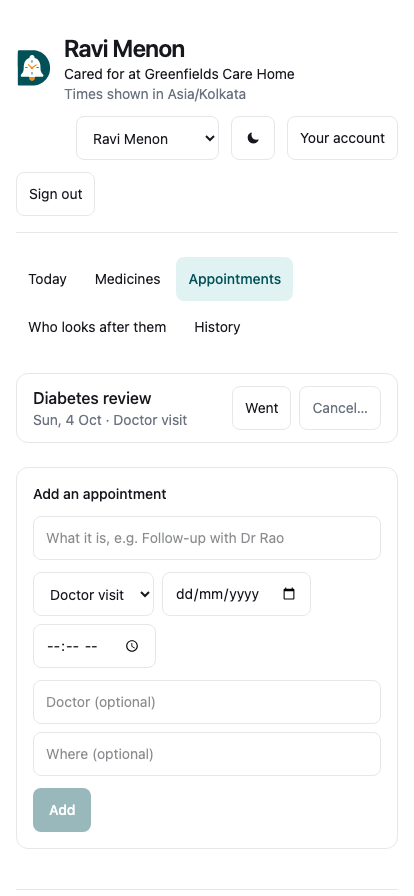
Upcoming appointments, and the past ones folded underneath. Add an appointment with what it is (in your own words — DrBell does not name tests or doctors for you), the date, and optionally the time, the doctor and where. Reminders go out the day before and on the morning. Afterwards, mark it Went, or Cancel… one that is not happening.
Who looks after them
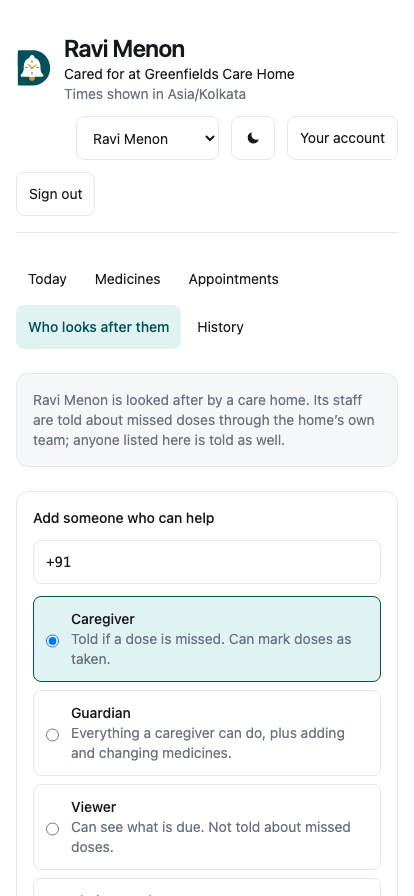
Everyone who can see their record — invited, or watching — and what each of them can do. If nobody would be told about a missed dose, it says so first.
To add someone, enter their mobile number with the country code and choose what they may do:
- Caregiver — told if a dose is missed; can mark doses as taken
- Guardian — everything a caregiver can do, plus adding and changing
medicines
- Viewer — can see what is due; not told about missed doses
- Their own phone — the number is the person's own; their reminders ring
there
Remove takes someone's access away straight away. For somebody in a care home, the home's staff are told about missed doses as well — whoever is on shift for them first.
Being told
You do not have to keep this page open. DrBell tells you:
- when a dose is missed — after the window to take it has closed
- straight away for a medicine marked critical, without waiting
- when a dose is repeatedly snoozed
If several people are being told, any one of you can say "I'll handle it" — on the notification in the phone app, or on Today here — and the others stop being nudged about that dose. Four worried people ringing one 74-year-old at once is its own harm.
Showing the doctor
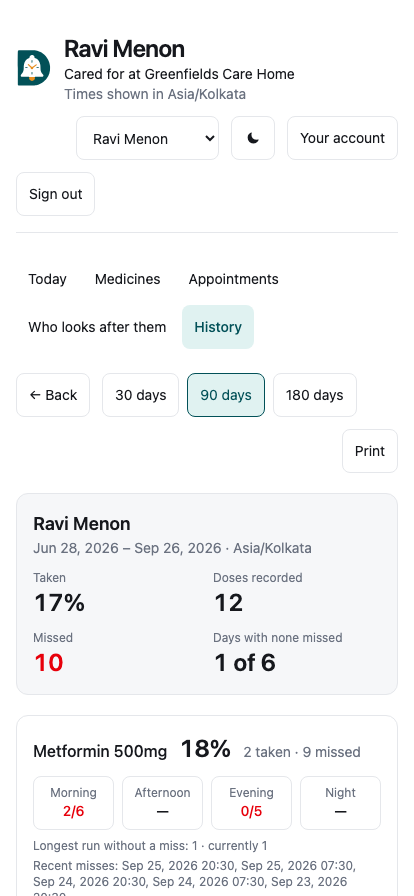
History, or History and what to show the doctor under today's list.
Pick 30, 90 or 180 days. The headline is the percentage taken, but the part worth reading is underneath it: for each medicine, how the doses fall across morning, afternoon, evening and night. "82%" tells a doctor very little. "Every miss is the night dose" tells them to ask whether she is asleep by then, and that is the conversation the report exists to start.
Create a link makes a page a doctor can open without an DrBell account — because they will not make one during a ten-minute appointment. It is copied to your clipboard, and:
- it expires after 14 days
- it shows how many times it has been opened
- you can revoke it at any moment, and it stops working immediately
The page says plainly that it records what was marked in the app, not what was swallowed, and offers no interpretation. If a period holds more history than one report can carry, it says so rather than quietly showing you a smaller number.
Print works too, for an appointment where paper is easier.
What you can and cannot do
What you see depends on what you were invited as. A viewer sees what is due and nothing else; a caregiver also sees the medicines, appointments and history, marks doses taken and can say "I'll handle it"; a guardian can also add or stop a medicine, keep its count, add appointments and invite or remove people. Buttons you cannot use are not shown.
Nobody can change a dose or a time from here. Those come from a doctor, by way of whoever entered them, and a well-meaning edit by a worried relative at midnight is exactly what this app must not permit.
DrBell gives no medical advice, and never will. If something looks wrong, that is a conversation with their doctor or their care home — not a change to make here.
Signing out
Sign out is in the top right. Use it on a shared or borrowed device: this page shows a named person's medication history, and the session lasts ninety days.
Your account
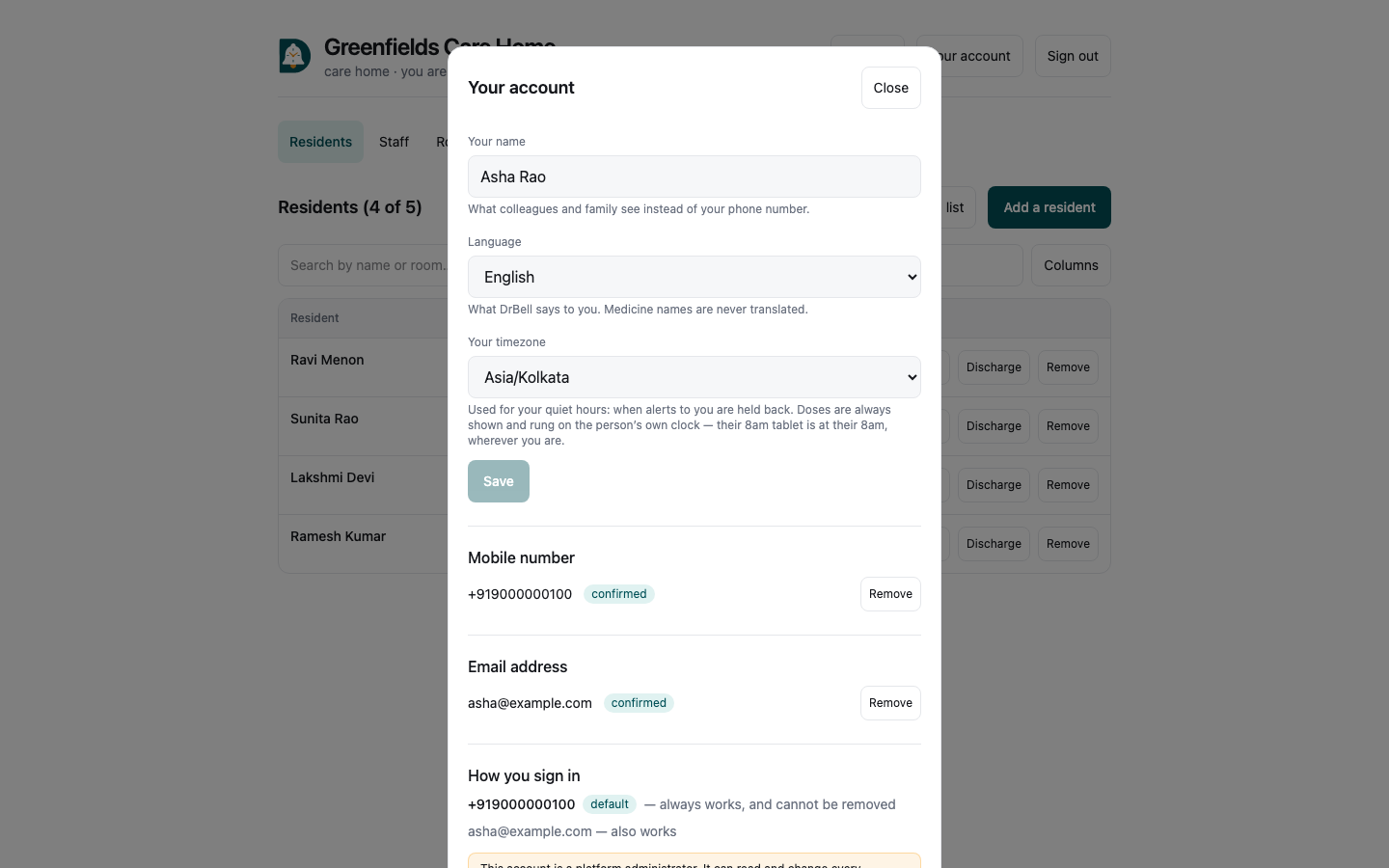
Your account, in the top right of every console (in the left rail on admin), is where you set:
- Your name — what colleagues and family see instead of your phone number.
Until you set one, screens show the number, because that is genuinely all DrBell knows about you.
- Your language — what DrBell says to you. Medicine names are never
translated.
- Your timezone — what times are shown in. It does not change
anybody's reminders: a resident's 8am tablet stays at their 8am, on their clock.
Adding an email address
Optional, and it does not replace your mobile number — it adds a second way in, for people who would rather use email. Enter the address, and a six-digit code confirms it. Your mobile number always works and cannot be removed.
Email sending is not switched on yet. Until a provider is configured, the screen tells you plainly that no code was sent rather than leaving you refreshing an empty inbox.
Questions
I was invited but see nothing. An invitation must be accepted before it grants anything. Sign in with the number you were invited on: the invitation appears at the top of the page. If it does not, the invitation went to a different number.
She says she took it and the screen says missed. The screen records what was tapped, not what happened. While the dose is still open, Mark taken records it; once it has been marked missed, it stays that way, because the record is what the doctor is shown.
Can I see last month? Today is the default. The history is there, and a full export of everything DrBell holds about her can be downloaded by whoever owns the record.
Will she know I am watching? Yes. Access is granted deliberately and is visible to her, and every read of her record is logged.